Wednesday, July 3, 2013


How to install IBM WebSphere Application Server with java 7 in windows
Step 1:
Download WebSphere Installation manager here
Step 2: install WebSphere Installation manager
Step 3: Select java 7

Step 4.
 Step 5.
Choose Path.
 Next
Next
 Next
Next
 Next.
Next.
 Next.
Next.
 Select profile management tool then Finish
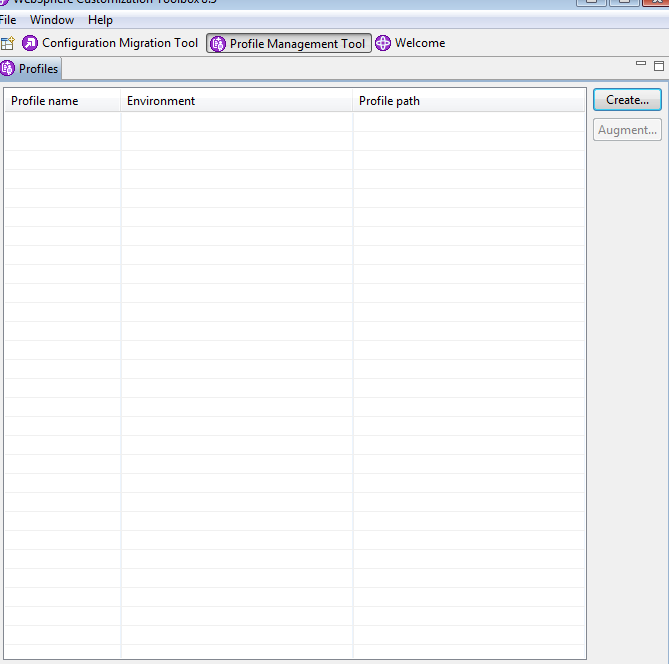
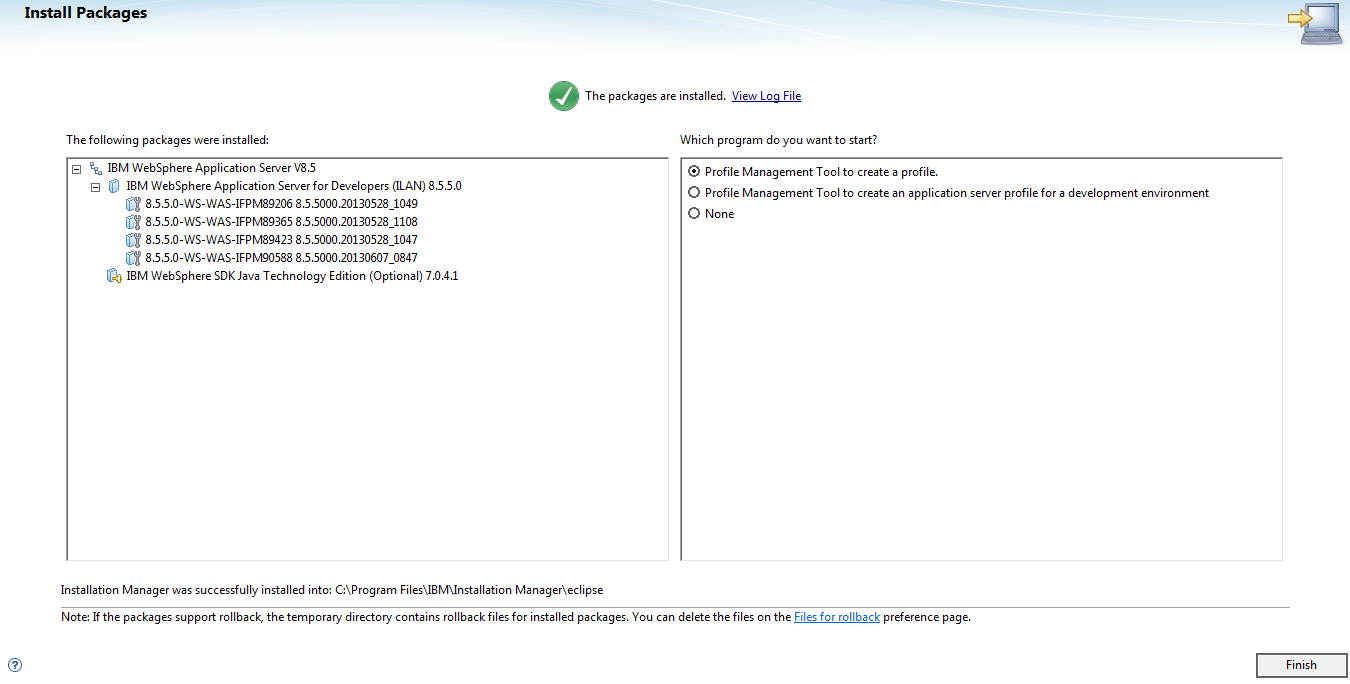 Create Profile click on Create.
Select Application Server
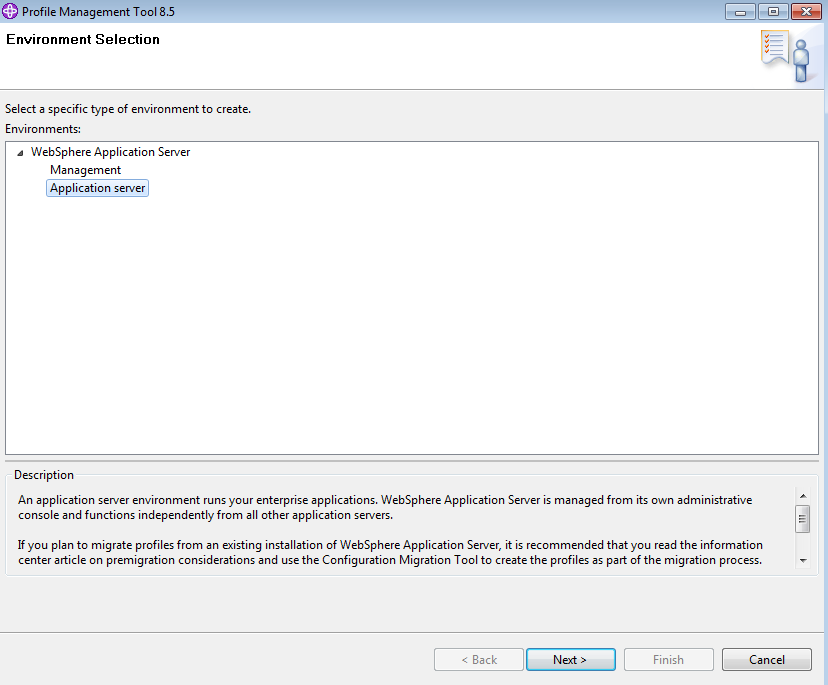
Next

Set your admin details.

Create.
Then start window will open You can start your server.
Default profile Name : AppSrv01
Default Admin port: 9060
Http port : 9080
Admin Url- http://localhost:9060/admin
or
https://localhost:9043/ibm/console/logon.jsp
Login here with your admin user name and password.

Then follow some video tutorial here
1. how to deploy war file in websphere
2. how to create user and delete user in Websphere
3. how to change java version in websphere
Download WebSphere Installation manager here
Step 2: install WebSphere Installation manager
Step 3: Select java 7
Choose Path.
Select Application Server
Next
Set your admin details.
Create.
Then start window will open You can start your server.
Default profile Name : AppSrv01
Default Admin port: 9060
Http port : 9080
Admin Url- http://localhost:9060/admin
or
https://localhost:9043/ibm/console/logon.jsp
Login here with your admin user name and password.
Then follow some video tutorial here
1. how to deploy war file in websphere
2. how to create user and delete user in Websphere
3. how to change java version in websphere
Friday, June 21, 2013
How to show browser info(name,version) and OS name using java in client side.
step1 - use this google api for user agent string parsing.
http://code.google.com/p/user-agent-parser-java/
or
UserAgentDetails.java
package com.demo;
public class UserAgentDetails {
private String browserName;
private String browserVersion;
private String browserComments;
UserAgentDetails(String browserName, String browserVersion, String browserComments) {
this.browserName = browserName;
this.browserVersion = browserVersion;
this.browserComments = browserComments;
}
public String getBrowserComments() {
return browserComments;
}
public String getBrowserName() {
return browserName;
}
public String getBrowserVersion() {
return browserVersion;
}
}
UserAgentParser.java
package com.demo;
import java.util.ArrayList;
import java.util.List;
import java.util.regex.Matcher;
import java.util.regex.Pattern;
public class UserAgentParser
{
private String userAgentString;
private String browserName;
private String browserVersion;
private String browserOperatingSystem;
private List<UserAgentDetails> parsedBrowsers = new ArrayList<UserAgentDetails>();
private static Pattern pattern = Pattern.compile(
"([^/\\s]*)(/([^\\s]*))?(\\s*\\[[a-zA-Z][a-zA-Z]\\])?" +
"\\s*(\\((([^()]|(\\([^()]*\\)))*)\\))?\\s*");
/**
* Parses the incoming user agent string into useful data about
* the browser and its operating system.
* @param userAgentString the user agent header from the browser.
*/
public UserAgentParser(String userAgentString) {
this.userAgentString = userAgentString;
Matcher matcher = pattern.matcher(userAgentString);
while (matcher.find()) {
/*
for(int i=0; i< matcher.groupCount(); i++) {
System.err.println(i +": " + matcher.group(i));
}
*/
String nextBrowserName = matcher.group(1);
String nextBrowserVersion = matcher.group(3);
String nextBrowserComments = null;
if (matcher.groupCount() >= 6) {
nextBrowserComments = matcher.group(6);
}
parsedBrowsers.add(new UserAgentDetails(nextBrowserName,
nextBrowserVersion, nextBrowserComments));
}
if (parsedBrowsers.size() > 0) {
processBrowserDetails();
} else {
}
}
/**
* Wraps the process of extracting browser name, version, and
* operating sytem.
*/
private void processBrowserDetails() {
String[] browserNameAndVersion = extractBrowserNameAndVersion();
browserName = browserNameAndVersion[0];
browserVersion = browserNameAndVersion[1];
browserOperatingSystem = extractOperatingSystem(parsedBrowsers.get(0).getBrowserComments());
}
private String[] extractBrowserNameAndVersion() {
String[] knownBrowsers = new String[] {
"firefox", "netscape", "chrome", "safari", "camino", "mosaic", "opera",
"galeon"
};
for(UserAgentDetails nextBrowser : parsedBrowsers) {
for (String nextKnown : knownBrowsers) {
if (nextBrowser.getBrowserName().toLowerCase().startsWith(nextKnown)) {
return new String[] { nextBrowser.getBrowserName(), nextBrowser.getBrowserVersion() };
}
// TODO might need special case here for Opera's dodgy version
}
}
UserAgentDetails firstAgent = parsedBrowsers.get(0);
if (firstAgent.getBrowserName().toLowerCase().startsWith("mozilla")) {
if (firstAgent.getBrowserComments() != null) {
String[] comments = firstAgent.getBrowserComments().split(";");
if (comments.length > 2 && comments[0].toLowerCase().startsWith("compatible")) {
String realBrowserWithVersion = comments[1].trim();
int firstSpace = realBrowserWithVersion.indexOf(' ');
int firstSlash = realBrowserWithVersion.indexOf('/');
if ((firstSlash > -1 && firstSpace > -1) ||
(firstSlash > -1 && firstSpace == -1)) {
// we have slash and space, or just a slash,
// so let's choose slash for the split
return new String[] {
realBrowserWithVersion.substring(0, firstSlash),
realBrowserWithVersion.substring(firstSlash+1)
};
}
else if (firstSpace > -1) {
return new String[] {
realBrowserWithVersion.substring(0, firstSpace),
realBrowserWithVersion.substring(firstSpace+1)
};
}
else { // out of ideas for version, or no version supplied
return new String[] { realBrowserWithVersion, null };
}
}
}
// Looks like a *real* Mozilla :-)
if (new Float(firstAgent.getBrowserVersion()) < 5.0) {
return new String[] { "Netscape", firstAgent.getBrowserVersion() };
} else {
// TODO: get version from comment string
return new String[] { "Mozilla",
firstAgent.getBrowserComments().split(";")[0].trim() };
}
} else {
return new String[] {
firstAgent.getBrowserName(), firstAgent.getBrowserVersion()
};
}
}
private String extractOperatingSystem(String comments) {
if (comments == null) {
return null;
}
String[] knownOS = new String[] { "win", "linux", "mac", "freebsd", "netbsd",
"openbsd", "sunos", "amiga", "beos", "irix", "os/2", "warp", "iphone" };
List<String> osDetails = new ArrayList<String>();
String[] parts = comments.split(";");
for (String comment : parts) {
String lowerComment = comment.toLowerCase().trim();
for (String os : knownOS) {
if (lowerComment.startsWith(os)) {
osDetails.add(comment.trim());
}
}
}
switch (osDetails.size()) {
case 0: { return null; }
case 1: { return osDetails.get(0); }
default: {
return osDetails.get(0);
}
}
}
public String getBrowserName() {
return browserName;
}
public String getBrowserVersion() {
return browserVersion;
}
public String getBrowserOperatingSystem() {
return browserOperatingSystem;
}
}
step 2.
String userAgent = request.getHeader("User-Agent");
UserAgentParser userAgentParser = new UserAgentParser(userAgent);
String str = "Browser Name:" + userAgentParser.getBrowserName() + " Browser Version:" + userAgentParser.getBrowserVersion() + "OS Name:"
+ userAgentParser.getBrowserOperatingSystem();
How to check FileReader support this browser on not.(Drag,Drop);.
Drag drop file uploading doesn't support all browser.
Please find this post here
it's not working IE 9,8,7 and IE 10 compatibility view.
for this issue i have created this post how to check current browser support on not.
find this javascript code bellow.
<!DOCTYPE HTML PUBLIC "-//W3C//DTD HTML 4.01 Transitional//EN" "http://www.w3.org/TR/html4/loose.dtd">
<html>
<head>
<title> New Document </title>
<meta name="Generator" content="EditPlus">
<meta name="Author" content="">
<meta name="Keywords" content="">
<meta name="Description" content="">
<script type="text/javascript">
<!--
function check(){
if (typeof window.FileReader === 'undefined') {
alert('fail');
} else {
alert('success');
}
}
//-->
</script>
</head >
<body onload="check()">
</body>
</html>
Subscribe to:
Posts (Atom)
-
 It is a Fun Love calculator algorithm to find out love percentage. It is only for fun. You can check FLAMES Game . Here is Java...
 -
index.jsp < HTML > < HEAD > < TITLE > Display file upload form to the user </ TITLE > </ HEAD > ...
-
Introduction: Hello, developers! Welcome to this blog post on how ChatGPT, an AI language model, can benefit your work and projects. Whethe...